


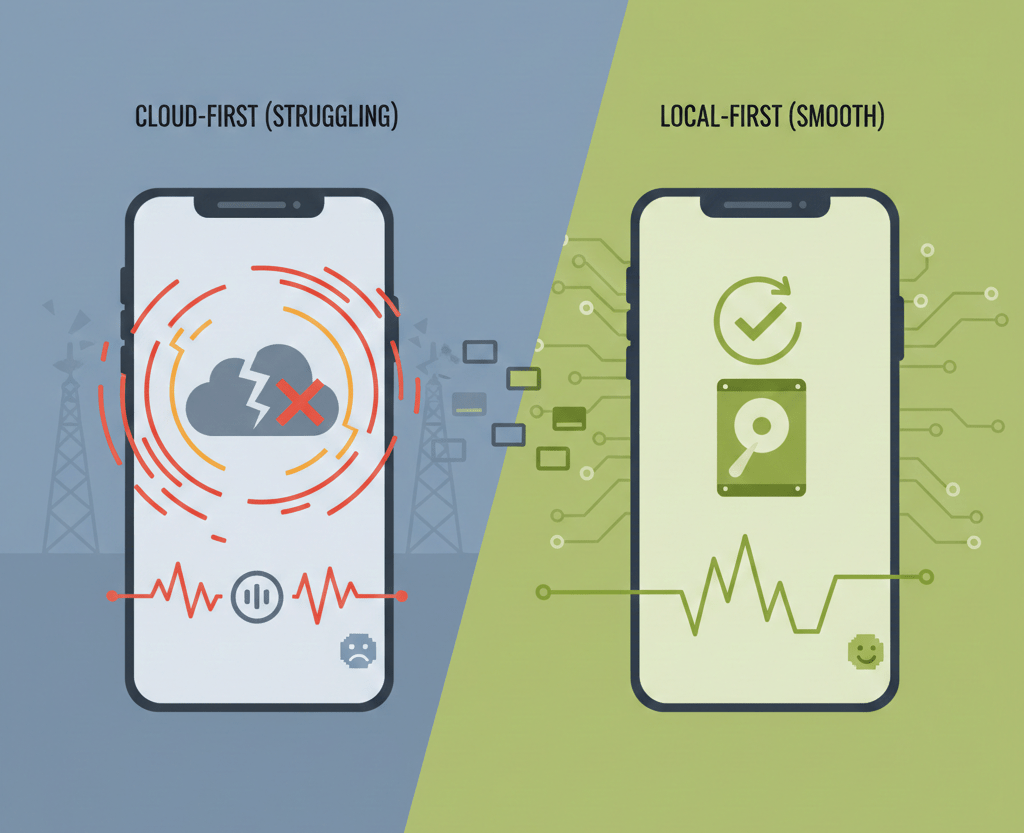
Modern users want everything to work seamlessly, even without an internet connection.However, due to lagging or crashing of applications because of poor connectivity, 72% of users quit using such apps. This is why local-first development saves the data directly on the device first and then syncs it across.
This guide explores technologies, strategies, and real-world examples that shape the future of offline-first applications.
Introduction to the Local-First Approach
Most applications rely on an uninterrupted internet connection, which inevitably brings latencies and a lot of frustration. At the core of what local-first applications do, they turn this around by considering the device as the source of truth, again, with the cloud for backup. This naturally makes these apps faster, more reliable, and user-friendly.
Example:
A note-taking app that saves notes directly to the phone allows users to instantly open, edit, and search notes even in airplane mode, as seen in apps like Apple Notes and Obsidian.
Core Principles of Local-First Development
Instant Responsiveness Without Cloud Dependency
Traditional applications route every interaction through their remote servers. Local-first applications process data directly on the device, enabling near-instant responses and smoother user experiences.
Companies that adopt this approach report 40–60% faster load times and higher user satisfaction.

Data Ownership and Privacy by Design
Local-first apps store data primarily on user devices. In this setup:
No vendor lock-in
Full privacy control
Long-term accessibility
Better compliance for regulated industries
85% of users worry about how their data is stored, so this gives local-first a competitive edge.
Example:
A personal journaling app keeps entries encrypted on the user’s device, which is how apps like Day One prioritize privacy and data ownership.
Seamless Performance without the Internet
Connectivity drops should not disrupt the user’s workflow. Local-first applications treat the internet as an option. Users can:
Create and edit data offline
Continue working collaboratively
History access
Sync automatically when online
Apps that have offline capability enjoy a 33% higher retention rate.
Example:
A field engineer can update inspection data in a remote area with no signal, just like users of Google Docs or Microsoft OneNote can continue editing offline.
Technologies Behind Offline-First Development
1. Local Databases for Fast Access

SQLite, IndexedDB, PouchDB, Realm, and WatermelonDB handle local data storage with query times less than a millisecond. These databases can handle millions of records locally, making any network delay irrelevant.
Example:
A mobile inventory app can instantly search thousands of products stored locally, similar to how Shopify POS works in offline mode.
2. Smart Sync Using CRDTs & Event Sourcing
CRDTs ensure conflict-free updates across devices. Event sourcing logs every change, enabling apps to reconstruct past states and resolve conflicts smartly. Such methods can cut sync errors by as much as 90% in multi-user applications.
Example:
Two teammates editing the same document offline can later sync their changes without overwriting each other’s work, as seen in Notion and Figma.
3. Service Workers & Advanced Caching
Service workers catch requests and serve cached content when offline. Patterns like stale-while-revalidate ensure both speed and freshness. Background sync makes sure no user action is lost when the internet goes down.
Example:
A news app loads previously read articles instantly while silently fetching updated content in the background, similar to how Medium and Google News behave.
4. Conflict Resolution for Real-Time Collaboration
| Conflict Type | Resolution Method | Result |
| Text edits | Operational Transform | Smooth merging |
| List edits | Auto-merge | Combined results |
| Simultaneous edits | Field-level control | User choice |
| Deletions | Tombstone metadata | No data reappearing |
Example:
When two users delete and edit the same task simultaneously, apps like Linear and Asana resolve the conflict without restoring deleted data..
Real-World Success Stories

| App | Offline Features | Sync Method |
| Notion | Full editing offline | Operational Transform |
| Obsidian | Markdown-based storage | File system sync |
| Linear | Task updates offline | CRDT merging |
These apps view local storage as the primary source rather than a temporary cache. This shift is the biggest change behind the local-first approach.
Implementation Strategies for Existing Apps
Successful migration to local-first usually occurs in three phases:
Allow core functionality to be accessible offline.
Expand sync and conflict resolution
Improve performance and reduce storage usage
WhatsApp, Netflix, and Superhuman are some of the apps that have gradually embraced this model, improving user experience without needing to rebuild everything at once.
The Future of App Development
But in most cases, emerging markets mean weak connectivity; therefore, offline-first is essential. Apps designed for unreliable networks perform better everywhere, even in high-speed environments.
Competitive Advantages:
- Higher retention
- Faster experience
- Lower infrastructure costs
- Better UX across all users.

Final Thoughts
Local-first development upgrades user expectations. By treating the device as the source of truth, apps become faster, stronger, and more trustworthy. This is not a fad; this is the future of application development. Start your next project with a local-first mindset. It will make a big difference to your users, whether they are online or offline.